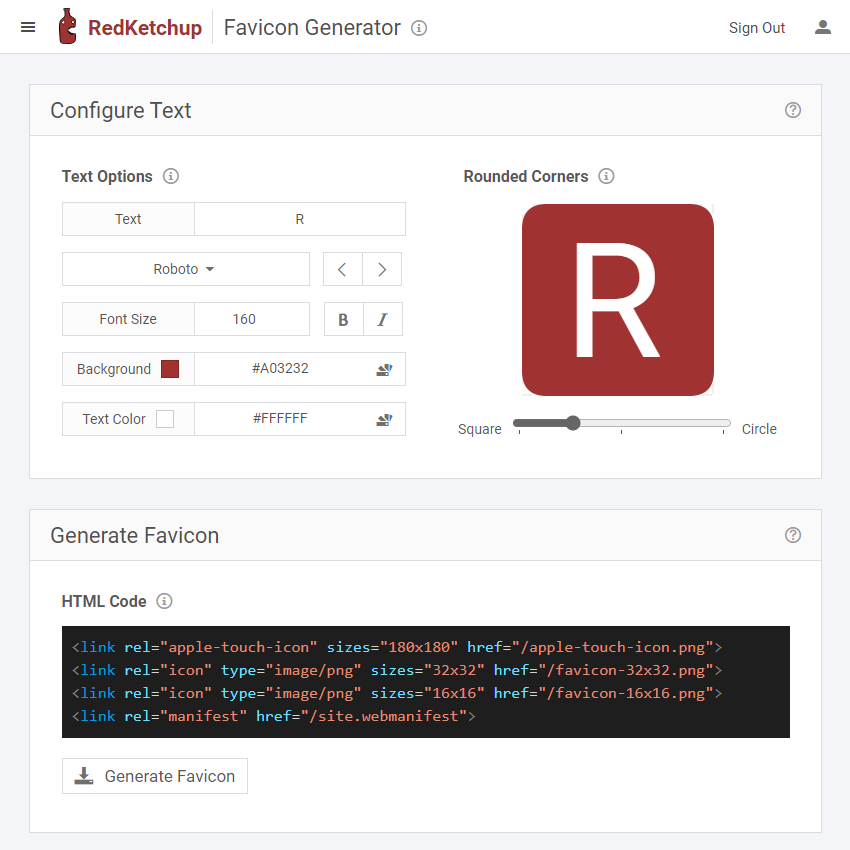
A favicon is a small graphic with a big job: it helps people recognise your website in a browser tab, bookmark list, and other places where a full logo would be too large. A thoughtfully designed icon makes your brand easier to spot, especially when someone has several tabs open.
A favicon maker can turn a logo or simple symbol into the image files a website needs. The best result is not the most detailed one. It is the clearest version of your brand at tiny sizes.
What Does a Favicon Maker Do?
A favicon maker prepares a square image for use as a website icon. Depending on the tool, it may crop an image, resize it, create several formats, or package multiple sizes together. Start with a clean, high-resolution logo or a simple symbol, then check the exported files rather than assuming every generator produces the same set.
For the source artwork, use one memorable shape, strong contrast, and generous space around the edges. A wide wordmark, tiny tagline, thin strokes, and intricate details can become indistinguishable when reduced to a browser-tab icon. If your full logo is too complex, create a simplified mark that still feels like the same brand.
Useful Favicon Sizes and Formats
There is no single image size that serves every device and display. A practical set gives browsers and platforms a suitable option:
| Size or set | Common use | Practical note |
|---|---|---|
| 16 × 16 px | Browser tabs and compact browser UI | Test carefully; fine details disappear quickly. |
| 32 × 32 px | Higher-density tabs and common desktop uses | A useful crisp raster export. |
| Larger than 48 × 48 px | Google Search favicon eligibility guidance | Google requires a square icon of at least 8 × 8 px and recommends an image larger than 48 × 48 px. Meeting the guidance does not guarantee display. |
| Platform-specific app icons | Home-screen shortcuts and installable web apps | Follow platform or web-app manifest requirements; these icons are not always the same as a browser favicon. |
PNG is a convenient raster format and supports transparency. ICO remains useful for broad browser compatibility and can bundle multiple icon sizes. SVG is vector-based and can scale cleanly in browsers that support SVG favicons, but support can vary by browser and surface. For the widest practical coverage, consider supplying a PNG set and an ICO file, then add SVG where your target platforms support it.
A favicon and a progressive web app (PWA) icon are related but not interchangeable in every setup. A PWA declares its application icons in a web app manifest, and the operating system may use those assets in places where a browser favicon is not used.
Add the Favicon to Your Website
If your content management system has a Site Icon or favicon setting, use it first. That setting can handle the necessary markup for you. If you manage the page head manually, add an icon declaration that points to the file you uploaded. For example:
<link rel="icon" type="image/png" sizes="32x32" href="/icons/favicon-32.png">
<link rel="icon" type="image/svg+xml" href="/icons/favicon.svg">
Replace the sample file paths with the real locations of your icon files. Keep the files publicly accessible, use the correct file type, and make sure the paths match the uploaded filenames. The HTML link element’s rel, type, and sizes values help the browser select an appropriate icon.
For Google Search, its current guidance says to declare the favicon in the homepage’s head, keep the image square, and allow Googlebot and Googlebot-Image to crawl the homepage and icon. Google defines a site by hostname and supports one search favicon per site. A favicon can be eligible for Search results without being guaranteed to appear. After changes, Google may need several days to several weeks to recrawl and process the homepage.
Four Mistakes to Avoid
- Keeping too much detail. Simplify the mark so its main shape stays recognisable at 16 × 16 pixels.
- Exporting a non-square image. Start from a 1:1 canvas and check that the artwork is centred and not clipped.
- Ignoring contrast. Preview the icon on both light and dark browser themes. A transparent background can help, but the symbol still needs enough contrast.
- Changing files without checking the path or cache. Confirm that the page points to the current filename and that the icon file loads. Browsers may cache favicons, so test in a private window or after a hard refresh before assuming the new file failed.
A Quick Launch Checklist
- The icon is a simple, square version of the brand mark.
- The small-size preview remains clear and recognisable.
- The formats and sizes match the browsers and platforms you support.
- The site references the correct files, and the files are publicly accessible.
- The homepage and favicon are crawlable if Google Search display matters.
- You have checked the result on desktop and mobile, including light and dark backgrounds.
A favicon maker is only the starting point. The quality comes from choosing a distinctive symbol, simplifying it for small screens, and testing the exported files where visitors will actually see them. For agencies and growing businesses, keeping this small brand detail consistent is part of presenting a polished website. Links Builder Hub helps businesses strengthen their website presence with practical SEO and web services.